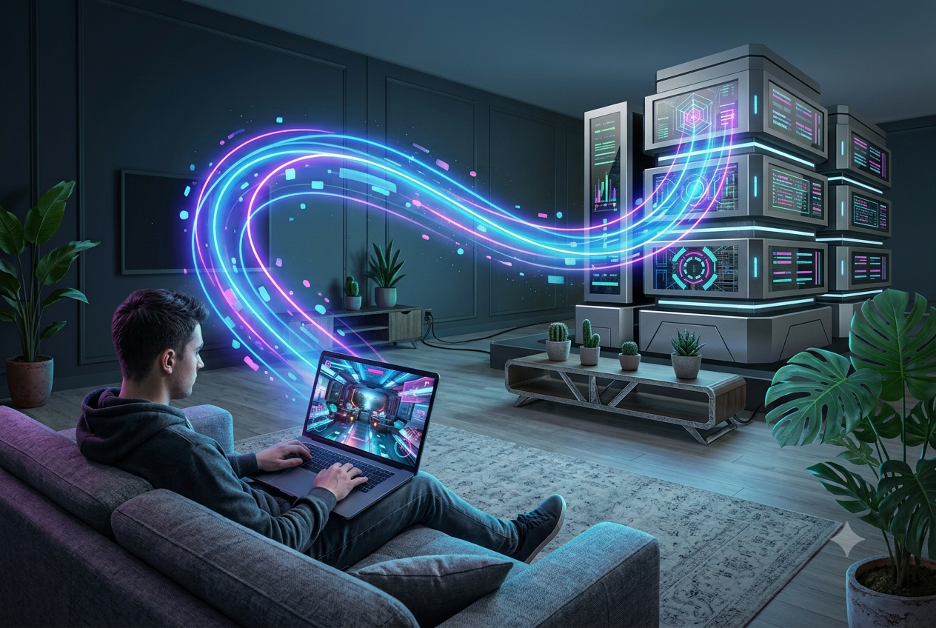
Not long ago, “PC gaming” meant a beefy desktop under your desk, a graphics card you saved up for, and a room setup built around performance. That world still exists—but it’s no longer the only way to play. In 2026, more players are jumping into AAA titles on laptops, tablets, and even phones that wouldn’t realistically run those games on their own.
The reason? Cloud gaming—and it’s quietly rewriting the rules of who gets to play what, how often, and on which devices.
In this guide, we’ll break down why cloud gaming is exploding right now, how the different streaming models work, and who should (and shouldn’t) consider switching in 2026.
Why Cloud Gaming Is Exploding Right Now (In 2026)
Cloud gaming didn’t suddenly become popular overnight. It’s winning because multiple trends are lining up at the same time.
1) Internet quality finally matches the demand
Over the last couple of years, broadband and low-latency connections have improved in many regions. In 2026, streaming a demanding game no longer always feels like a compromise—especially on a strong connection. The input lag players used to complain about has shrunk enough that many casual gamers barely notice it, and more people can enjoy smooth sessions without constantly tweaking settings.
2) Gaming hardware is still expensive
Graphics cards and full gaming builds remain a major financial commitment. For a lot of players, upgrading every time new releases demand more is hard to justify.
Cloud gaming sidesteps that problem by letting you rent performance instead of buying it. Rather than spending thousands on hardware, you pay for access to powerful servers and play the latest games without an upgrade cycle.
3) Games are getting heavier every year
Modern AAA games push higher frame rates, larger open worlds, and more detailed graphics. Even good laptops can struggle to keep up consistently. Cloud streaming helps close that gap by shifting the heavy rendering work away from your device.
How Cloud Gaming Actually Works
Cloud gaming isn’t one single method—it’s a category. Under the hood, you’ll typically see three main approaches, each with its own trade-offs in cost, control, and convenience.
1) Personal cloud streaming (Moonlight-style setups)
With this approach, you stream from your own gaming PC, which acts like the “cloud” at home. The game renders on your machine, and the video streams to the device you’re using—whether that’s a laptop across the house, a handheld, or even a phone depending on your setup.
Best for:
- People who already own a capable gaming PC
- Gamers who want to play their existing library on multiple devices
- Players who want remote access without relying on game-subscription libraries
2) Dedicated cloud rental platforms (remote data-center PCs)
Instead of using your own hardware, these services rent you time on powerful remote PCs hosted in data centers. You often connect your account (sometimes including existing libraries), then the service handles the graphics power on its side.
Best for:
- People who don’t own a gaming PC
- Anyone who wants to “stream and play” without maintaining local hardware
- Players who want a simpler path into high-end gaming
3) Subscription-based streaming services (access over ownership)
Some platforms bundle a rotating catalog of games you can stream instantly. You aren’t installing titles—you’re streaming them as part of a library.
Best for:
- Players who want convenience above all
- Gamers who don’t need a permanent game collection
- People okay with a catalog that changes over time
Who Cloud Gaming Makes the Most Sense For
Cloud gaming isn’t automatically better than local gaming—it’s a better fit for certain playstyles and situations.
It’s a great choice if you’re…
- Using lower-end hardware and want to play modern titles anyway
- Gaming across multiple devices, like switching from desktop to laptop during the day
- Students, renters, or frequent movers who don’t want the hassle of transporting hardware
- Trying games before fully committing, especially if you’re deciding whether a title is worth buying or upgrading for
It may be a worse fit if you’re…
- A competitive player chasing the absolute lowest latency
- Someone dealing with unreliable internet (because streaming is only as good as your connection)
Getting the Most Out of a Cloud Gaming Setup
If you want cloud gaming to feel smooth, you’ll get better results by optimizing your environment—not just the service.
- Use wired internet when possible. Wi-Fi can work, but Ethernet usually delivers lower latency and fewer disruptions.
- Match quality to your bandwidth. If you’re experimenting, start lower (resolution or frame rate), then increase gradually.
- Keep your game library ready. If your setup lets you use existing games (like rental/cloud PC options or your own local library), having titles queued ahead of time makes the whole experience feel more seamless. Our breakdown of the best games to buy with a Steam gift card in 2026 is a solid starting point.
- Double-check platform compatibility. Some services support certain storefronts or games better than others. A quick compatibility check saves frustration.
- Treat the free trial like it matters. Testing the service on your device and connection tells you more than any review or spec sheet.
The Trade-Offs Nobody Can Ignore
Cloud gaming is impressive, but it’s not magic. Here’s what most players should expect.
- Latency still exists. Even with excellent streaming, it’s not the same as running the game locally—especially for fast-twitch competitive genres.
- Ongoing costs can add up. Renting performance month after month may eventually exceed the price of a one-time hardware build for some players. The advantage is avoiding the upfront cost and hardware obsolescence.
- Connection quality is non-negotiable. If your internet is unstable, cloud gaming can’t fully “fix” that. Smooth streaming rewards solid infrastructure.
Frequently Asked Questions
Do I need a powerful PC to use cloud gaming?
It depends on the approach.
- Rental-based cloud platforms: no—your device can be relatively modest since the remote server does the heavy rendering.
- Personal streaming (Moonlight-style): yes, because your home PC is still doing the rendering.
Is cloud gaming good enough for competitive play?
It has improved a lot, but if you’re trying to compete with the lowest possible latency, local wired gaming is still typically better. Cloud gaming is often a better match for casual, story-driven, and less reaction-heavy titles.
How much internet speed do I need?
Requirements vary by platform and settings. In general, a stable, reasonably fast connection matters more than chasing the highest number. Wired connections usually make things noticeably smoother.
Can I use my existing game library with cloud gaming?
Often, yes—especially with platforms that allow you to connect existing storefront accounts or integrate with libraries you already own. Having your library set up ahead of time can make cloud gaming feel more “ready to go” from day one.
Conclusion
Cloud gaming in 2026 isn’t a futuristic experiment anymore—it’s a practical solution for a real problem: many players want to experience modern games without constantly upgrading expensive hardware.
Whether you stream from your own gaming PC, rent a powerful machine in the cloud, or subscribe to a streaming game library, the best option comes down to your budget, your devices, and how important low-latency performance is to your playstyle.
It won’t replace a high-end gaming PC for everyone. But for a growing number of gamers who want access—without upgrades—cloud gaming has become one of the easiest ways to keep up with 2026’s biggest releases.